Free software · GNOME · plain text first
Your todo list is just a text file.
Reinschrift is a native GNOME app, a top-bar extension, a CLI and a self-hostable web app — all reading and writing one Markdown file. Version it with Git, sync it with Nextcloud, open it in any editor. No database. No silo. No lock-in.
- [x] Renew passport ✅ 2026-10-01
- [ ] Fix bike light +garage @home rec:monthly
- [ ] Buy oat milk +groceries @store due:2026-10-12
01 The format
One line per task. Readable by you, parsable by machines.
Inspired by todo.txt, but living happily inside ordinary Markdown checklists — the kind every editor, forge and notes app already renders.
+projectproject, quotes allowed@contextcontext or locationdue:…due date, optional timerec:weeklyrecurrence on completion~note:"…"free-form note^ID123stable reference ID02 Four ways in, one file
Desktop, top bar, terminal and browser — pick your surface.
a.GNOME desktop
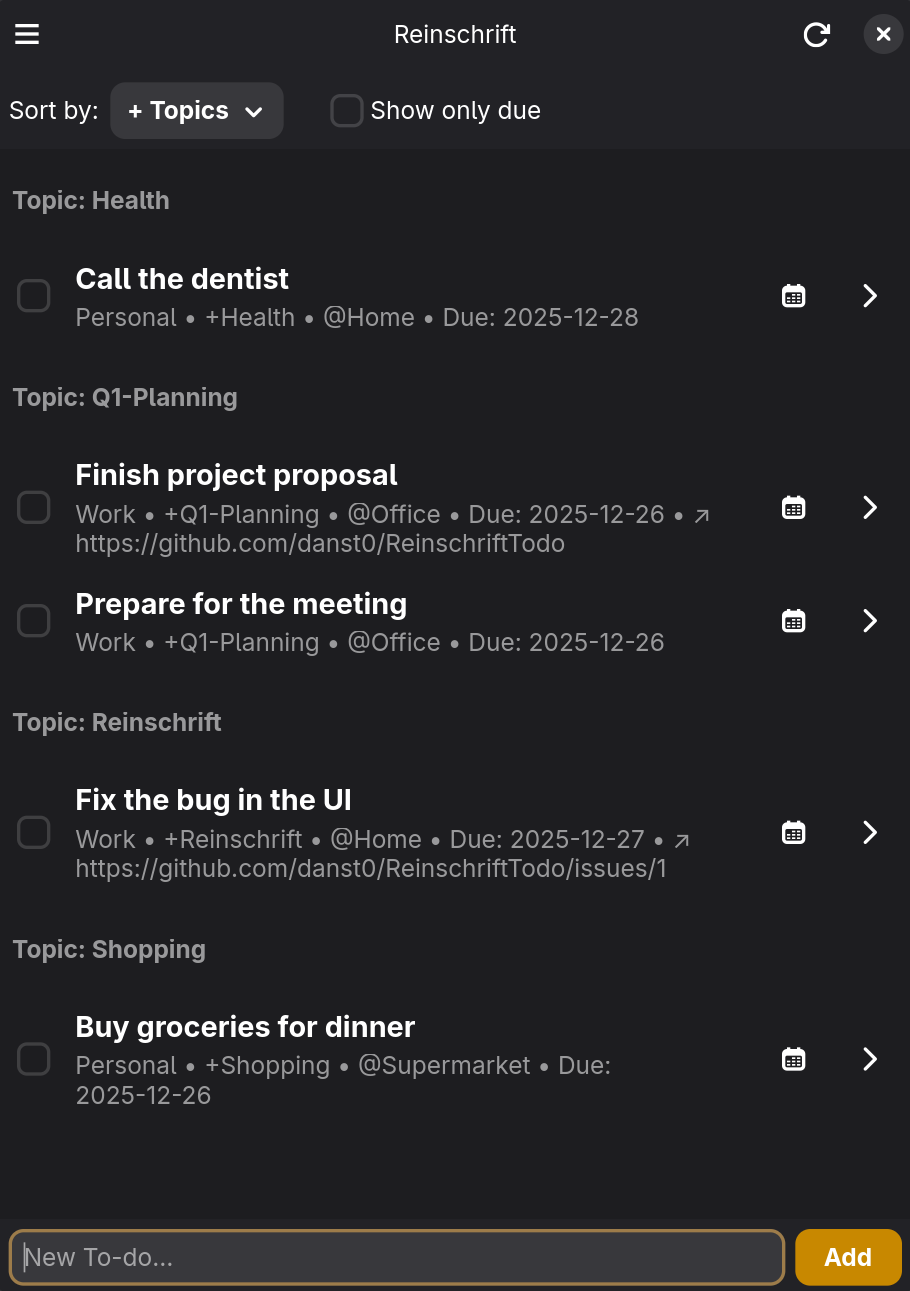
Native GTK4/libadwaita. My Day planning, filters by time range, project and place, search, multi-select, voice input via local Whisper — and live reload when the file changes underneath. A compact mode makes it usable on Linux phones.
b.GNOME Shell extension
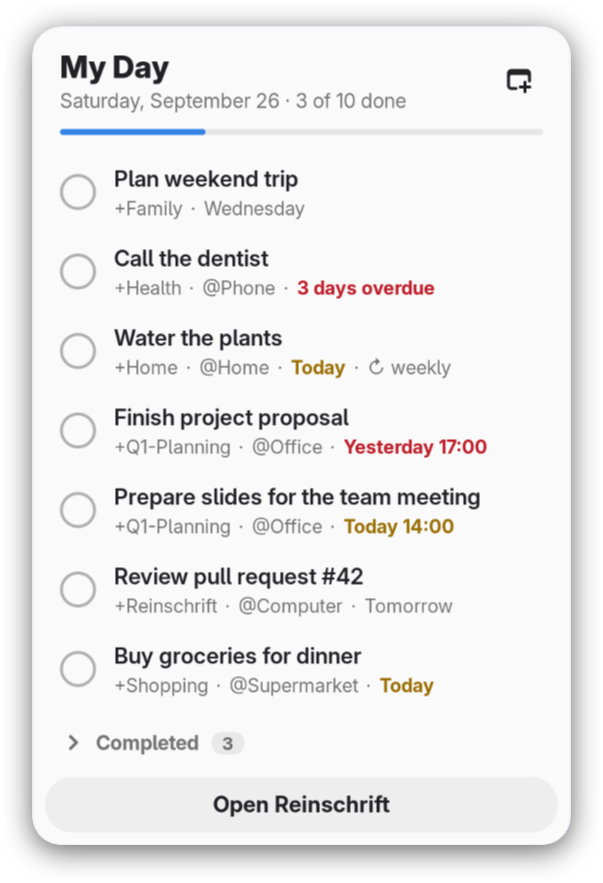
Your My Day in the top bar: see what is planned for today, tick it off, add a task or push one to tomorrow — without opening the app. Reads the same file, including a Nextcloud-synced one. GNOME 47–50.
c.CLI
For terminal workflows and scripting — with JSON output.
d.Web app · PWA
Self-hosted Flask app with a live preview of the tokens you type, a schedule by time horizon, swipe gestures, push reminders and OIDC login. Installable on your phone as a PWA — your todos everywhere, still one file.
03 Everyday features
Plain text underneath. Comfort on top.
WebDAV / Nextcloud sync
Point all apps at the same file — locally or on your cloud. External edits are picked up live.
My Day
A daily planning view: pick what today actually is about — and keep it in the top bar.
Recurring tasks
rec:daily, rec:weekly, rec:monthly — completed tasks re-spawn themselves.
Search, filter, sort
Filter by time range (overdue, today, 7 or 30 days, no date) and by several projects or places at once — the same filters in desktop, CLI and web.
Voice input
Local transcription via Whisper on the desktop, Web Speech API in the browser.
AI assistance
Natural-language task parsing and semantic duplicate detection via your own Ollama — nothing leaves your machine.
Six languages
German, English, Spanish, French, Japanese, Swedish.
Free software
GPL-3.0-or-later. One repo: Rust core, GTK app, Shell extension, CLI and Flask web app.
04 Install
Take the desktop app, the top bar, the CLI — or host it yourself.
GNOME desktop
The recommended way on any Linux distribution.
GNOME Shell extension
Pending review on extensions.gnome.org. Until then, install it from the repository — it works alongside the Flatpak.
extension source on GitHubArch Linux
GUI and CLI from the AUR, built from the release tag.
aur.archlinux.org/packages/reinschriftSelf-host the web app
Pre-built image on GHCR, published on every release. OIDC, WebDAV and credentials via environment variables.
docker-compose example on GitHub